
ChatGPT Voice Now Controls Work and Codex on Desktop: Availability, Credits and Risks
ChatGPT Voice can now steer Work and Codex on desktop. See current availability, the separate voice and task meters, risks and one safe test.
By Ryan Nichols
- 618 total reach
- 0 reading now•0 active 24h
- 0 shares•0 inbound
- 0 comments
By Ryan Nichols
ChatGPT Voice can now do more than answer a spoken question.
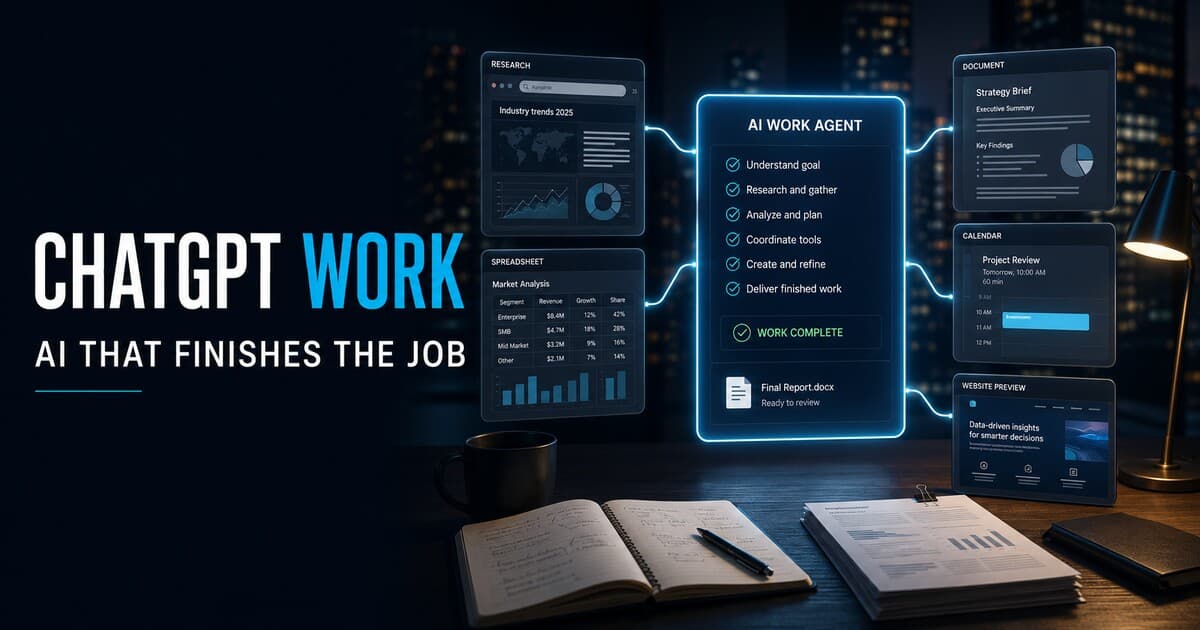
OpenAI added a voice control layer for Work and Codex on July 23, 2026. In eligible workspaces, a person can use the ChatGPT desktop app to start a task, ask what an agent is doing, change priorities, interrupt work, redirect it, and coordinate multiple agents through one spoken conversation.
That is an important shift. Voice is moving from an answer interface toward an agent-control interface.
It is also easy to misunderstand the price. The microphone connection and the agent work it launches are not one combined charge. OpenAI says connected voice time is metered separately from Work or Codex task execution.
Before a business puts this into a daily workflow, it should understand the two voice experiences, the device restrictions, the two-layer meter, the transcript limitations, and the approval rules that still matter.
What OpenAI released
OpenAI's ChatGPT Business release notes identify two distinct experiences.
Voice in Chat
Voice in Chat is the conversational experience for asking questions, brainstorming, and exploring ideas. OpenAI says it is powered by GPT-Live and works in Desktop Chat and on supported web, iOS, and Android experiences.
The current ChatGPT Voice documentation names the paid-plan model more specifically as GPT-Live-1, with GPT-Live-1 mini used on the Free plan. Available intelligence settings, features, and usage limits can vary by plan, workspace settings, region, and app version.
Voice in Work and Codex
Voice in Work and Codex is the agent-control experience. OpenAI says it can:
- start, prioritize, interrupt, or redirect tasks;
- coordinate multiple agents across conversations and projects;
- resume work with available project context and supported tools;
- give spoken or on-screen progress updates; and
- report when work is blocked or completed.
This experience is available in the ChatGPT desktop app on macOS and Windows. It supports paired iOS remote access, but OpenAI says standalone Voice in Work and Codex is not available on the web or on mobile.
That distinction matters. Someone may have ordinary ChatGPT Voice on a phone or browser and still lack the desktop agent-control experience.
Reader poll
What would you use voice-controlled agents for first?
Tap your answer to vote
One tap. Free and anonymous. No signup to vote.
Current availability
OpenAI says ChatGPT Voice is available in eligible Business, Enterprise, Edu, and Healthcare workspaces, subject to workspace settings.
The July 23 release note specifically announces the new experience for Business workspaces. For Enterprise, Edu, and Healthcare workspaces, the Voice documentation describes an early-access period and administrative requirements. In Enterprise, Voice in Work and Codex requires both Advanced voice capabilities and Early Model Access to be enabled.
Availability can therefore depend on:
- the plan and seat;
- administrator settings;
- region;
- application version;
- whether the user is in the new desktop app; and
- whether the desktop host and paired iPhone are connected correctly.
This is not a feature a reader should assume is present merely because a microphone icon appears in ChatGPT.
The model question has two answers
OpenAI explicitly says Voice in Chat is powered by GPT-Live. Its current Voice page identifies GPT-Live-1 and GPT-Live-1 mini for the live conversational experience.
The public release note does not name a separate speech model for the Work and Codex control layer. It says Voice coordinates Work and Codex using the tools and permissions available there. The underlying task then follows the existing Work or Codex usage structure and model routing.
That means readers should avoid collapsing three different things into one model name:
- the live spoken conversation;
- the Work or Codex agent handling the task; and
- any connected tools, files, apps, or computer-use capabilities the agent is allowed to use.
The voice layer can direct the work. It does not erase the model, tool, permission, or approval boundaries underneath it.
The two-layer usage meter
The pricing detail is the part most likely to surprise a team.
OpenAI says Business workspaces include one hour of Voice in Chat. Additional Voice in Chat usage consumes approximately 5 credits per minute. Enterprise, Edu, and Healthcare workspaces on flexible pricing also use the 5-credit-per-minute rate for Live.
Voice in Work and Codex uses a different connected-minute meter. OpenAI's Codex rate card says connected Voice time is expected to cost approximately 6 credits per minute for Business and Enterprise customers using credits or pay-as-you-go billing.
The task is separate.
When Voice starts a Codex task, that task also uses the shared Codex usage and credit pool at the applicable token-based rates. OpenAI says Work follows the same general usage structure as Codex. Actual task cost can vary with the selected model, input tokens, cached input, output tokens, task length, and complexity.
So a ten-minute voice session in Work or Codex implies roughly 60 connected-voice credits before counting the task execution. That 60-credit figure is simple arithmetic based on OpenAI's approximate per-minute rate, not a promised total or invoice estimate.
OpenAI's current rate cards give useful reference points:
- Voice in Chat: about 5 credits per minute after the included Business allowance;
- Voice in Work and Codex: about 6 credits per connected minute;
- a typical Codex task using GPT-5.5: about 5 to 45 credits, with wide variation;
- a typical end-to-end Workspace Agent run using GPT-5.5: about 5 to 25 credits.
Those examples should not be added into a universal price. They describe different features and typical ranges. A short spoken check-in may cost little task usage if the work is already complete. A brief instruction can also launch a long or complex run that consumes substantially more.
Reader poll
Which cost detail matters most to you?
Tap your answer to vote
One tap. Free and anonymous. No signup to vote.
The opportunity: supervise work without living at the keyboard
The best use case is not replacing every typed prompt with speech. It is reducing the delay between noticing a problem and steering the work.
A person could:
- ask a research agent for its current source list while walking between meetings;
- stop an agent that is following the wrong assumption;
- tell a coding agent to run tests before preparing a pull request;
- ask several agents which one is blocked;
- change the order of tasks without reopening every thread;
- approve or reject an important step after reviewing the relevant context; or
- continue coordinating a desktop-hosted task through a paired iPhone.
For people who have difficulty typing, need to work hands-free, or manage several long-running tasks, this can make agent workflows more accessible and easier to supervise.
The deeper opportunity is operational. A spoken conversation can become a control room for work that continues in the background.
The risks are operational too
Voice makes direction faster. It does not make direction more precise.
A transcript is not a verbatim record
OpenAI warns that Voice transcripts may not exactly match what a person or ChatGPT said, especially with overlapping speech, background noise, or fast conversation.
That is manageable when brainstorming. It becomes more serious when the instruction affects a repository, document, message, calendar, customer record, or public page.
For consequential work, require the agent to restate:
- the objective;
- the files, accounts, or systems in scope;
- what it may change;
- what requires approval; and
- how success will be verified.
Background speech can become ambiguous input
OpenAI says Live is designed primarily for one-on-one conversation and is not optimized for several people speaking at once. It may respond when people are speaking to each other rather than to ChatGPT.
Use headphones or a quiet room for sensitive workflows. Mute the microphone when a conversation changes from agent direction to discussion with another person.
A fast command can start expensive work
The separate meters mean the cost is not determined only by how long a person talks. A short sentence may launch a large research or coding task. A long discussion may consume connected minutes even if it produces little work.
Teams should check actual usage after a test, set spending expectations, and decide who may start parallel agents.
Permissions still define the blast radius
Voice in Work and Codex uses the tools and permissions available to the agent. If those permissions include local files, connected apps, communications, or computer use, a misunderstood instruction can affect more than a chat response.
Apply least privilege. Keep write access narrow. Require approval before sending a message, publishing content, deleting a file, merging code, spending money, or changing an external record.
Privacy and retention need review
OpenAI says audio clips from Live and Advanced Voice conversations are stored with the chat transcript and retained for 30 days. Deleting a chat triggers deletion of associated clips within 30 days, subject to stated security, safety, or legal exceptions.
OpenAI also says users cannot share audio or video clips from Business, Enterprise, or Edu Voice conversations for model training. Transcript and file handling can still depend on the workspace, plan, and settings, so organizations should review the current data controls and applicable terms before discussing confidential material.
One useful test: the ten-minute voice-control audit
Do not begin with production code, a client account, private records, or a public publishing task.
Use a disposable test repository or a folder containing non-sensitive sample documents. Choose a task whose correct outcome you can inspect in ten minutes.
The test
- Set the boundary in speech. Say that the task is read-only until you explicitly approve a change.
- Ask for a restatement. Have ChatGPT repeat the objective, scope, allowed tools, prohibited actions, and expected deliverable.
- Start one reversible task. Examples: summarize three public documents, inspect a small test project, or identify why a sample test fails.
- Interrupt once. Change a priority or correct one assumption while the task is running.
- Ask for status. Require the agent to identify what is complete, what is uncertain, what source or file supports the conclusion, and what needs approval.
- Approve one limited action. Let it create a draft file or a test-only patch, but do not let it publish, merge, send, or delete.
- End Voice and inspect the record. Compare the transcript with what you intended to say. Review every file change and task output.
- Check usage. Record connected voice minutes and the separate Work or Codex task usage.
Score the test from 1 to 5 on:
- speech recognition;
- instruction fidelity;
- interruption handling;
- progress transparency;
- change safety;
- final accuracy; and
- total usage.
A successful test is not “it felt futuristic.” It is “the system understood the boundary, completed the right work, showed its evidence, and made no unapproved change.”
Reader poll
What would make you trust voice-directed agents?
Tap your answer to vote
One tap. Free and anonymous. No signup to vote.
Editorial analysis
Voice-controlled agents will matter when they shorten supervision without weakening accountability.
The value is not the microphone. The value is being able to ask, “What is blocked, what changed, and what needs my decision?” while several tasks continue.
The danger is treating a fluid conversation like a precise command file. Speech is fast, social, and tolerant of ambiguity. Software actions are literal and persistent.
The safest design pattern is therefore:
speak the intent, require a written restatement, approve the boundary, inspect the result.
That adds a small pause, but it protects the advantage of voice from becoming a source of accidental work, surprise cost, or unreviewed action.
Sources and what to watch
Primary OpenAI sources used for this article:
- ChatGPT Business release notes: July 23, 2026
- ChatGPT Voice availability, limits and data controls
- ChatGPT rate card for Business, Enterprise and Edu
- Codex rate card and separate Voice meter
Readers should watch for broader plan access, Android remote support, standalone web or mobile availability, administrator controls, changes to included minutes, and clearer workspace reporting that separates voice coordination from the tasks it starts.
For the model and agent-pricing context behind these task rates, read GPT-5.6 Sol, Terra and Luna: pricing and multi-agent modes. For a different approach to tool-using AI workspaces, see Gemini Notebook's secure cloud computer.
Join the optional email or text list at the bottom of this page if you want future ChatGPT, Claude, AI-agent, and emerging-technology updates. You choose what contact information to provide, and you can unsubscribe at any time.
Share a verified rollout update, test result, usage observation or correction
What became available, worked, failed or needs correction?
Include your plan, device, app version, test method and an official source when possible. Do not submit passwords, private keys, confidential records, client data or private personal information.
Sharing this is the biggest help. Put it in front of one more person.
You made it to the end
Most people quit at the headline. You didn’t.
So don’t stop here. Pick one.
Read the book
Fighting Shadows is the whole story in my own words: the road into January 6, the D.C. jail, and the fight to get the record out.See the book
Follow the case
The record is still being written. Get one email when something new drops on it.
Hire Ryan
I built this site. Want one that brings your business real leads? Start with a free 30-minute call.See the services


Tap how this hits you — no signup, everyone sees the count
Share this post — get it back in front of people
Comments
Speak here
Create an account to comment.
This is where people can say what gets buried or cancelled elsewhere. Comments are signed-only, moderated, and tied to a real profile so the record stays usable.
No approved comments yet. Create an account and put the first opinion on the record.